

Requirements
Slack is a way to reach the agent, so the agent needs something to reason about — connect AWS before Slack. Only the WeWatch owner can connect a workspace.Connect a workspace
Open Integrations → Slack. Before anything is connected, the page offers a single action: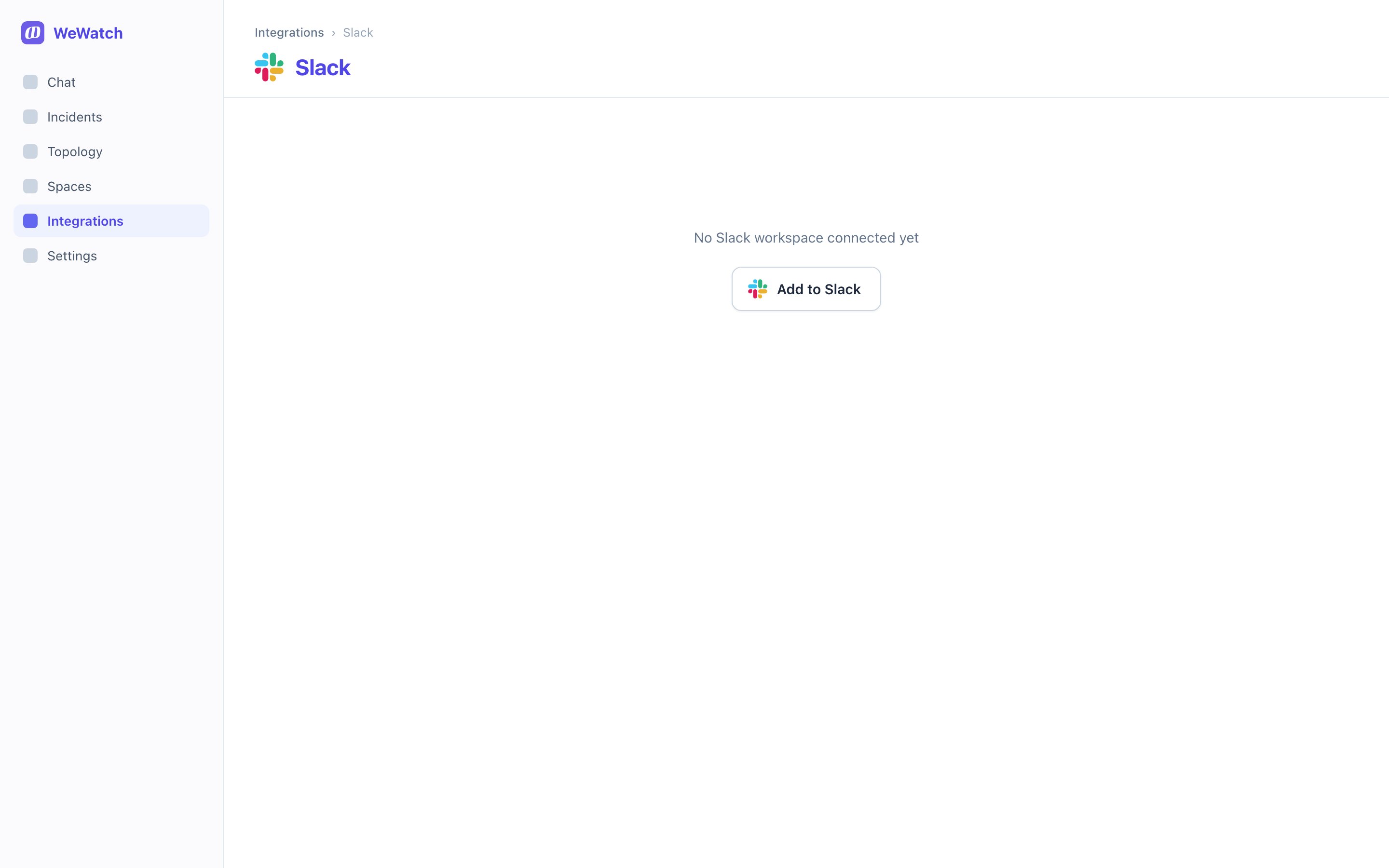
1
Add to Slack
Choose Add to Slack and approve the requested permissions in Slack’s
consent screen.
2
Choose an alerts channel
Straight after connecting, WeWatch asks where it should post updates and
alerts. Pick any public channel — WeWatch joins it so it can post, and adds
you to it so you see what arrives.
3
Tell your team
That’s it. Anyone in the workspace can now DM WeWatch or mention
@WeWatch in a channel it’s in.A WeWatch organization connects to exactly one Slack workspace. To move to a
different one, disconnect the current workspace first.
Who can use WeWatch in Slack
Everyone in the connected workspace. A teammate without a WeWatch account gets the same answers as one with an account — they’re never asked to sign up, and WeWatch never DMs them an invite or a sign-in link.
Answers come from your organization’s connected AWS accounts, not from the
asker’s own access. Anyone who can reach the bot can ask about the accounts in
your spaces, so connect Slack to a workspace you’d trust with that.
Bringing teammates onto WeWatch
A WeWatch account is a paid seat, so adding someone is the owner’s or an admin’s call — Slack never does it on its own. Open Team and use Invite your Slack teammates to WeWatch: it lists people from your Slack workspace who aren’t on the team yet, starting with the ones who’ve already been asking WeWatch in Slack. Invited teammates get a Slack DM and an email, and their Slack is connected to their account as soon as they sign in. From then on, their Slack conversations show up in their web chat history.Where WeWatch replies and where it stays quiet
WeWatch can only hear channels it’s a member of. It joins the alerts channel
itself; for any other channel, including private ones, add it with
/invite @WeWatch.
Asking questions
Ask in plain language. WeWatch replies in a thread, so a busy channel stays readable, and shows what it’s doing while it works.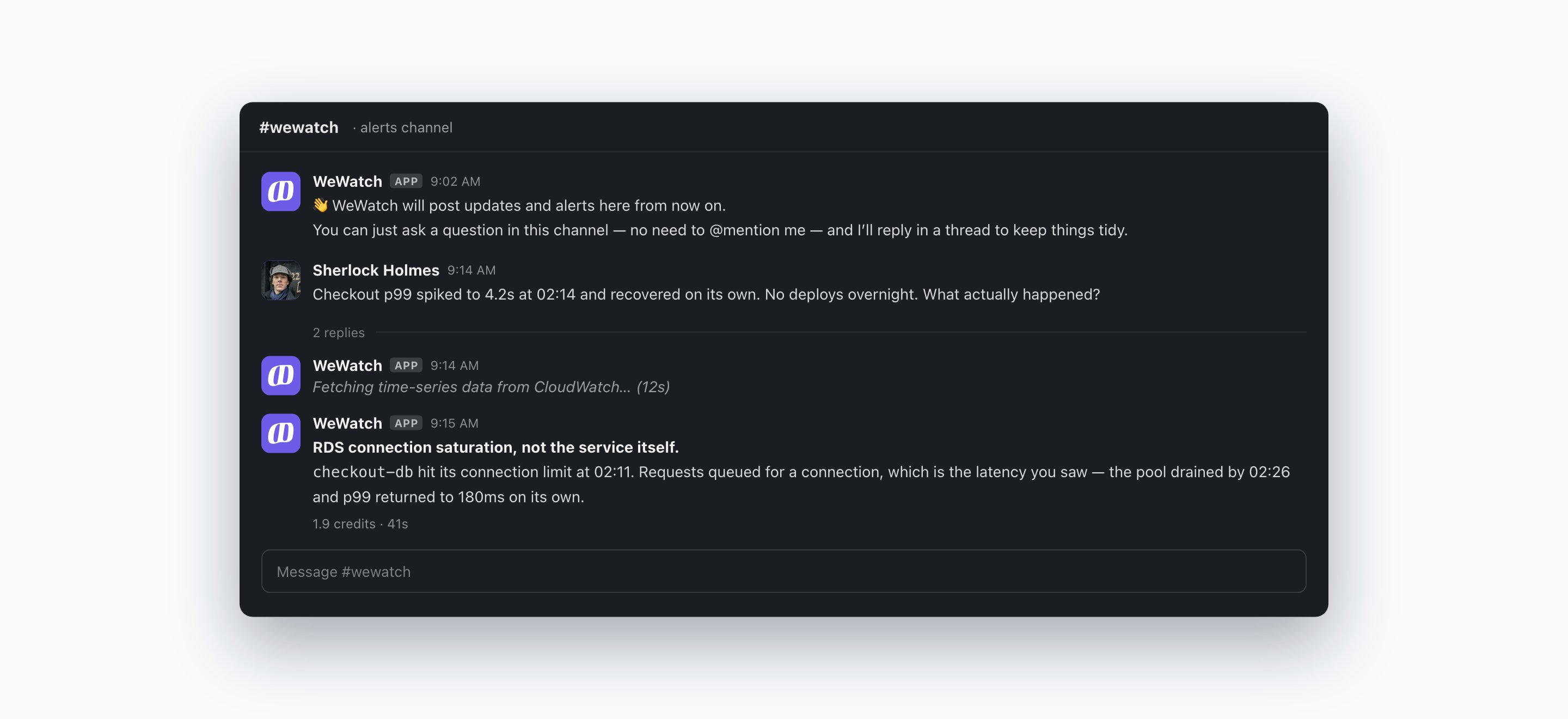
Picking a space
Every answer is scoped to one space. The first time you ask, WeWatch replies with Pick a space to get started. and a list of your organization’s spaces. After that it remembers your choice and starts new threads in the same space without asking. A thread stays in its space, so everyone replying in it gets answers from the same accounts.Reading the answer
Each answer ends with a footer showing what it cost, how long it took, and the space it came from — for example0.8 credits · 4s · Production.
The alerts channel
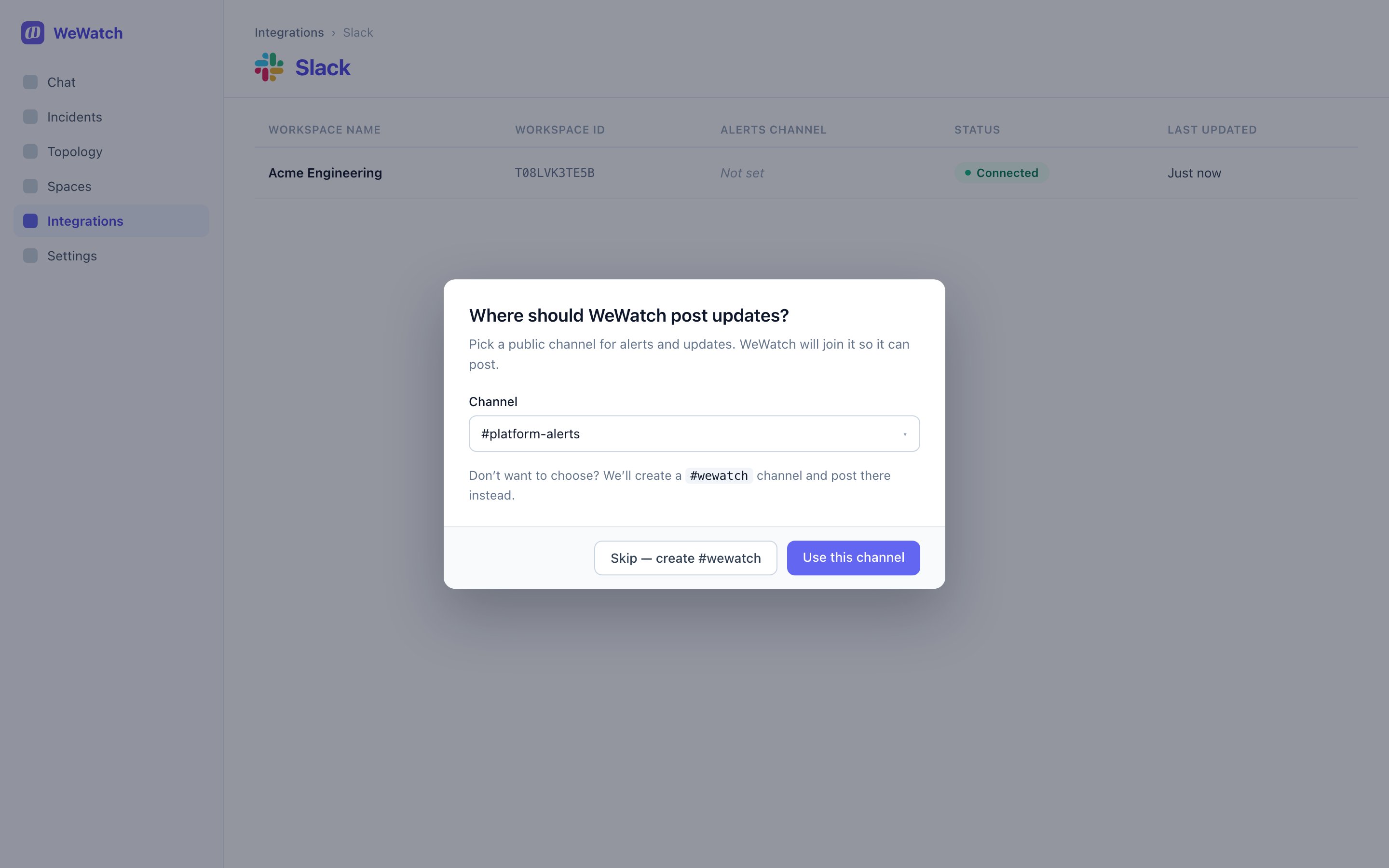
#wewatch channel
and posts there instead. The owner can change it later from the connection’s
detail page under Alerts channel.
Billing
Every Slack answer is drawn from your organization’s credit balance — the same balance as the web app — whoever asked. Slack usage is credited to the owner who connected Slack, with the Slack user who asked recorded on each run. See it under Billing → Usage.Disconnecting
Open the connected workspace from Integrations → Slack, open the actions menu and choose Disconnect workspace, then confirm. This uninstalls WeWatch from Slack and removes every Slack account link, so nobody can chat from Slack until it is reconnected. Past conversations are unaffected — the ones started by people with a WeWatch account stay in their chat history.Limits by permission
- Only the owner can connect or disconnect Slack and change the alerts channel.
- Only owners and admins can invite Slack teammates onto WeWatch.
- One Slack workspace per WeWatch organization.
- WeWatch answers only in channels it has been added to.
Common problems
WeWatch doesn’t reply in a channel. It isn’t a member. Run/invite @WeWatch in that channel, then mention it again. Outside the alerts
channel, a new message needs an @WeWatch mention.
WeWatch replies “You don’t have any spaces yet.” Your organization has no
spaces to answer from. Create one in Spaces
and ask again.
WeWatch replies “You’re out of credits.” Your organization’s balance is
used up. Top up in Billing and ask again.
A teammate’s Slack conversations don’t show in the web app. They don’t have
a WeWatch account yet. Invite them from Team → Invite your Slack teammates to
WeWatch; conversations they start after signing in will appear.
Someone outside the company could ask WeWatch questions. WeWatch answers
anyone in channels it’s in, including shared channels. Remove it from that
channel in Slack.
Related
AWS
Connect the accounts WeWatch answers from.
Integrations overview
Everything WeWatch can connect to.